

You said yes to coaching. Let's get you ready for practice on Saturday.
Follow Riley's first season with the Lakeside Lightning 10U in Playbook Pal: a first practice plan, drills you keep, and a timer that keeps Stations rotating.
Every volunteer knows this text.
Somebody had to coach, and you raised your hand. You know the game, or enough of it, but not how to fill an hour with ten-year-olds. So you search YouTube late at night, write some ideas on the back of an envelope, and hope they last until the parents come back.
Somebody had to coach, and you raised your hand.
I said yes to coaching the 10U team. First practice is Saturday. What do I even do for 50 minutes?
Keep them moving. Have a plan or you lose them in five minutes.
This helped me teach layups.
And what are the other kids doing while I show them?
Ha. Stations. Trust me.
Thursday night: Riley writes a first plan.
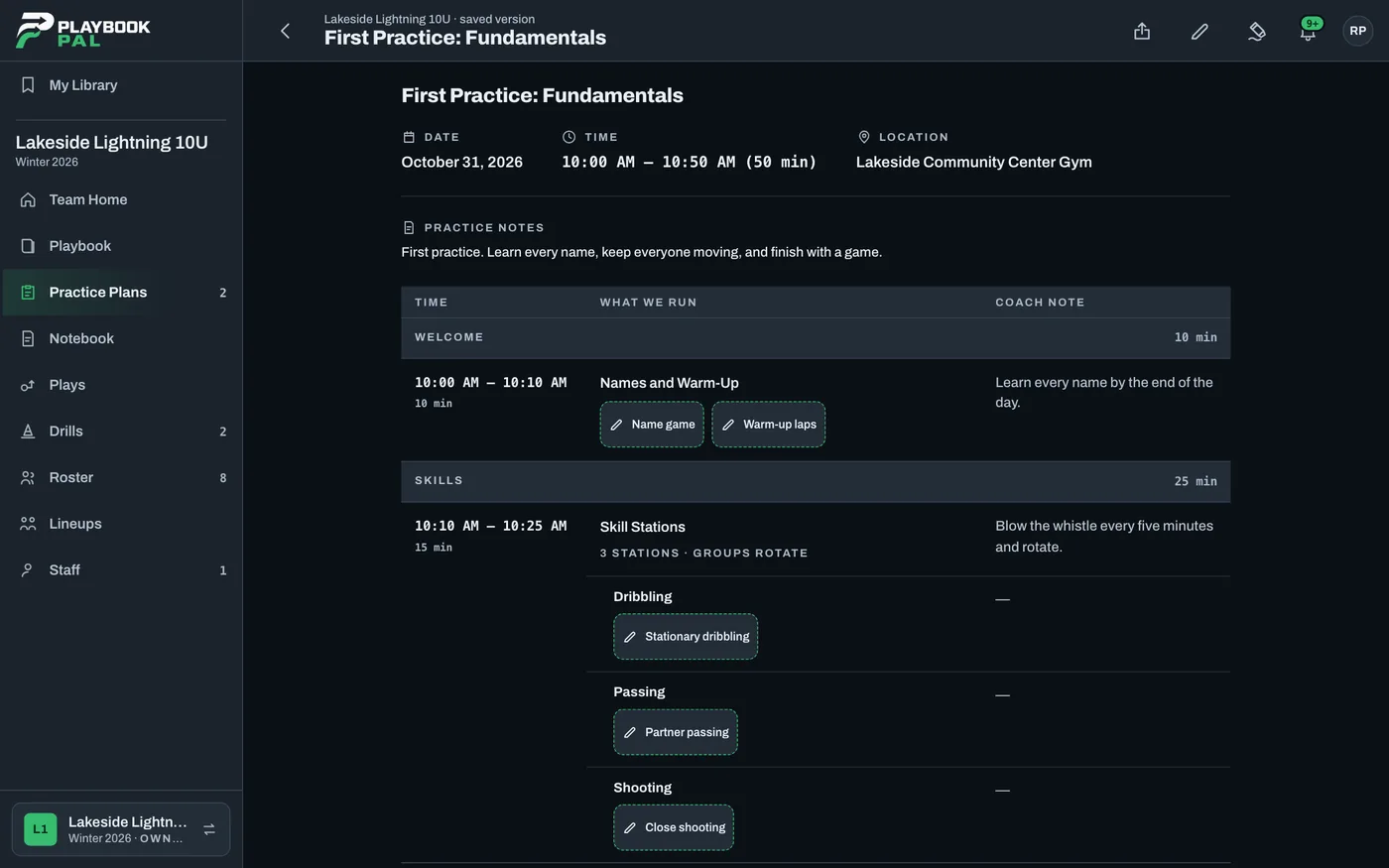
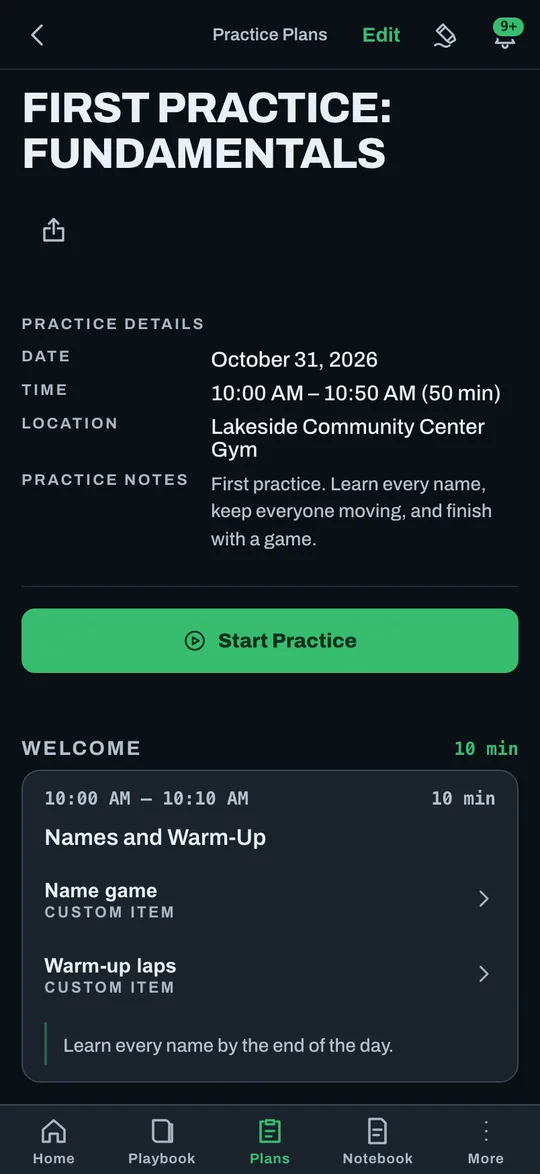
Riley builds it at the kitchen table: Names and Warm-Up, Skill Stations, then games. Nothing has to exist first. A name game or two warm-up laps can be written straight in, and the clock times add up on their own, so Riley can see that it fills 50 minutes.
Learn every name by the end of the day.
Friday: the video goes on the plan.
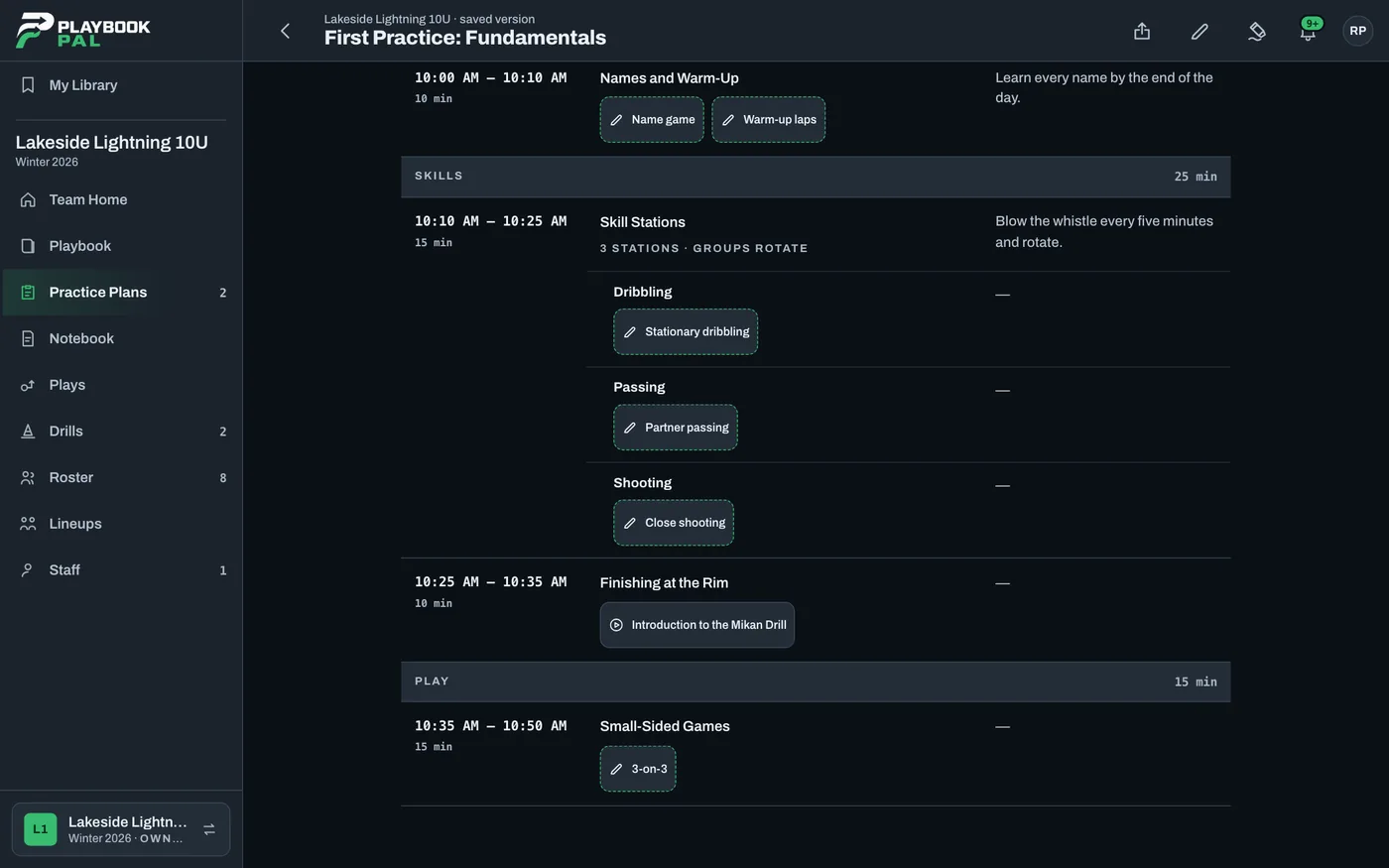
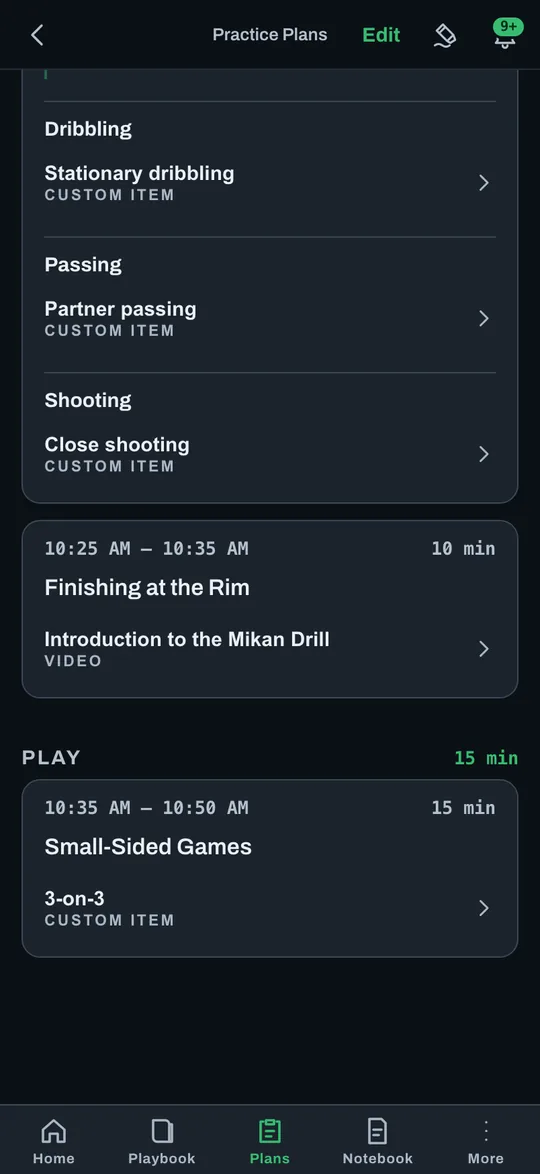
Coach Ty's video doesn't stay lost in a text thread. Riley puts it right in the Time Slot, with a note: "Watch the footwork before practice, then show it to the group." It's there on the phone at the gym.
Saturday: the timer runs the Stations.
Three Stations: dribbling, passing and close shooting. Riley taps Start Practice, and the timer and rotation cues keep the groups moving, so Riley can watch the kids and not the clock.
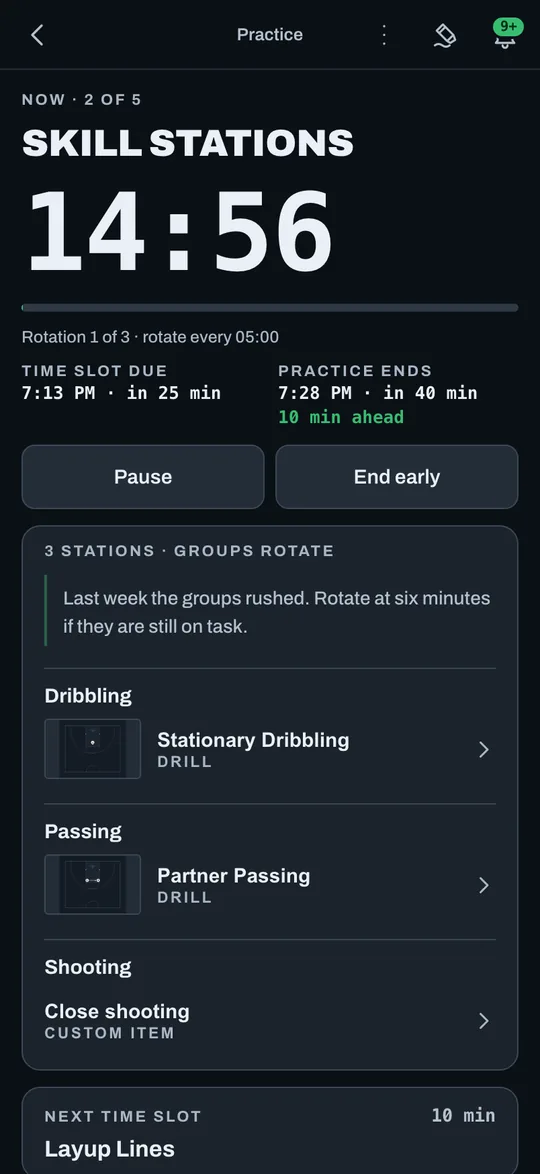
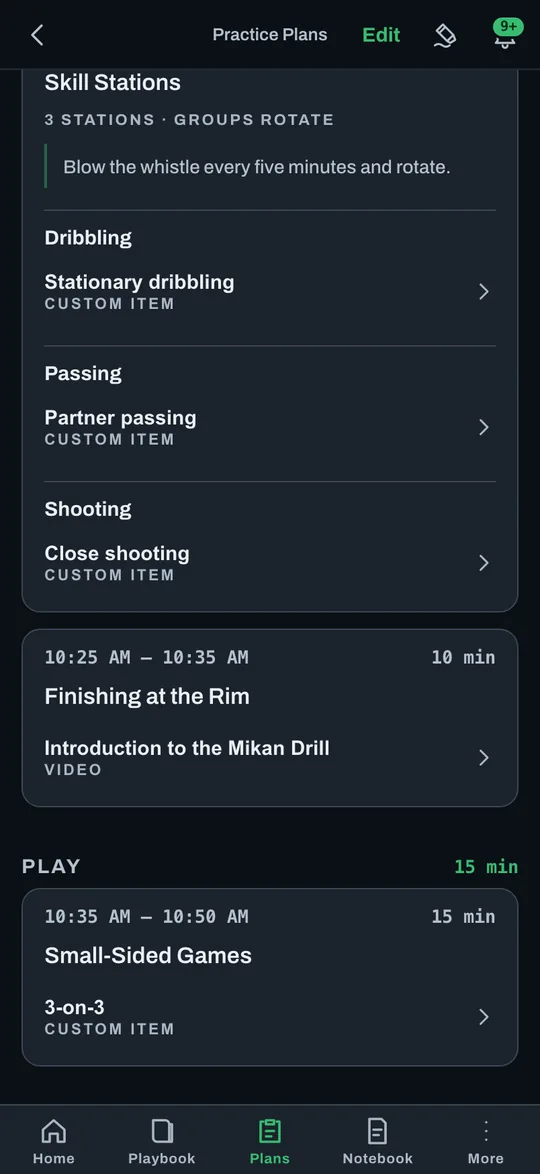
We ran out of time before the games. The kids still loved it.
Riley, after the first practice
Sunday: the good ones become Drills.
Dribbling and passing worked. Riley saves them as Drills on the Team, with a diagram, the setup and a note, so next week they're one tap away instead of written from scratch.
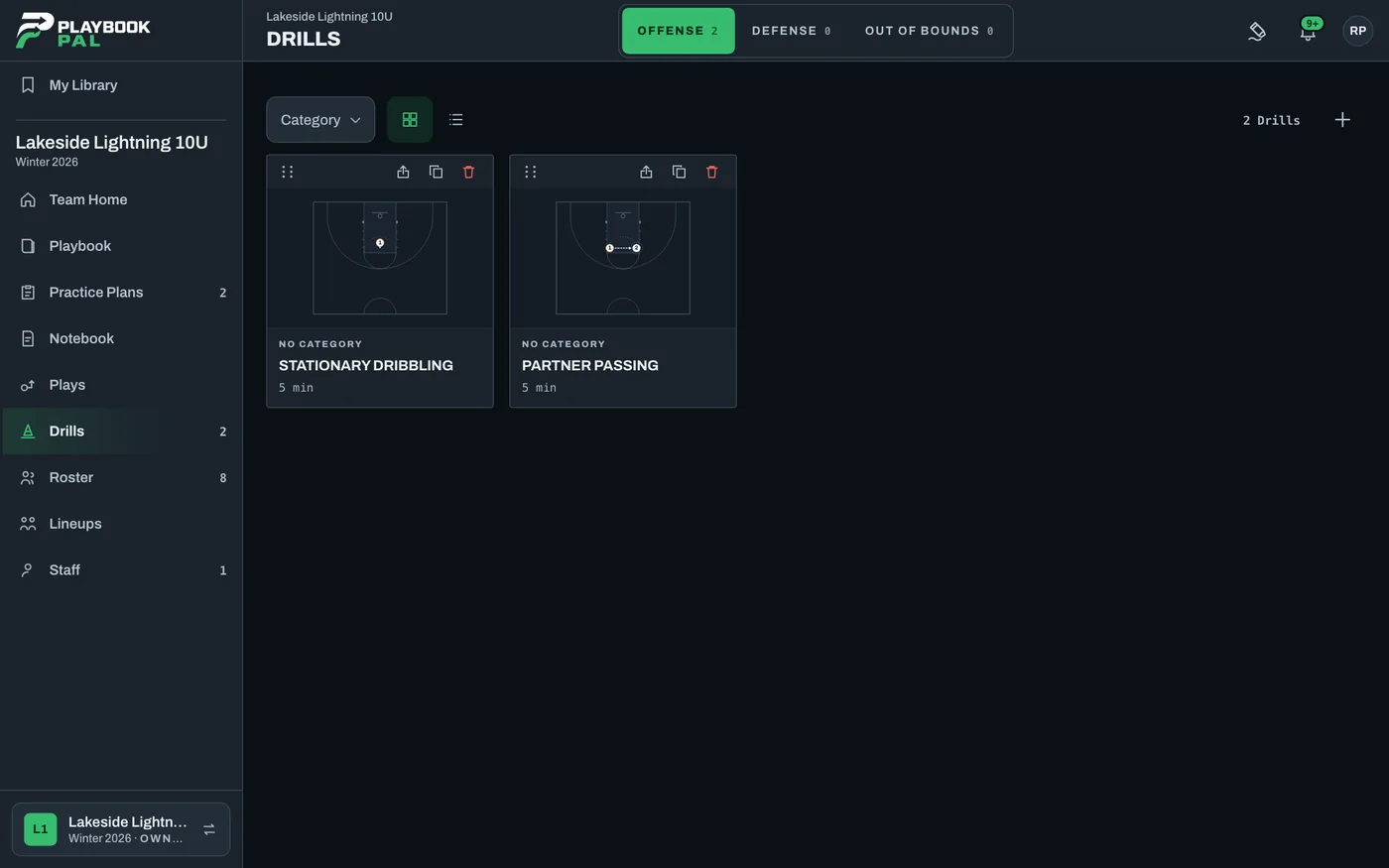
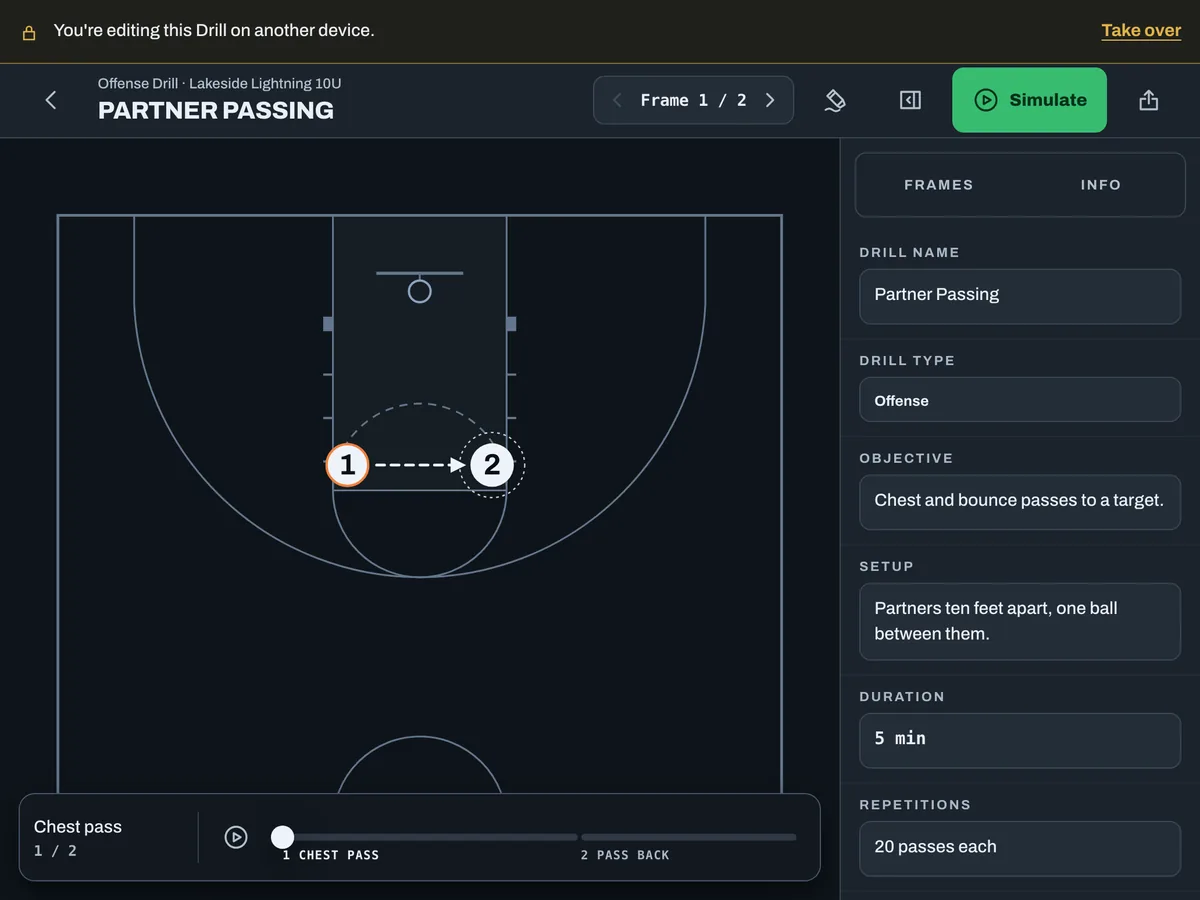
Next week: duplicate it and adjust.
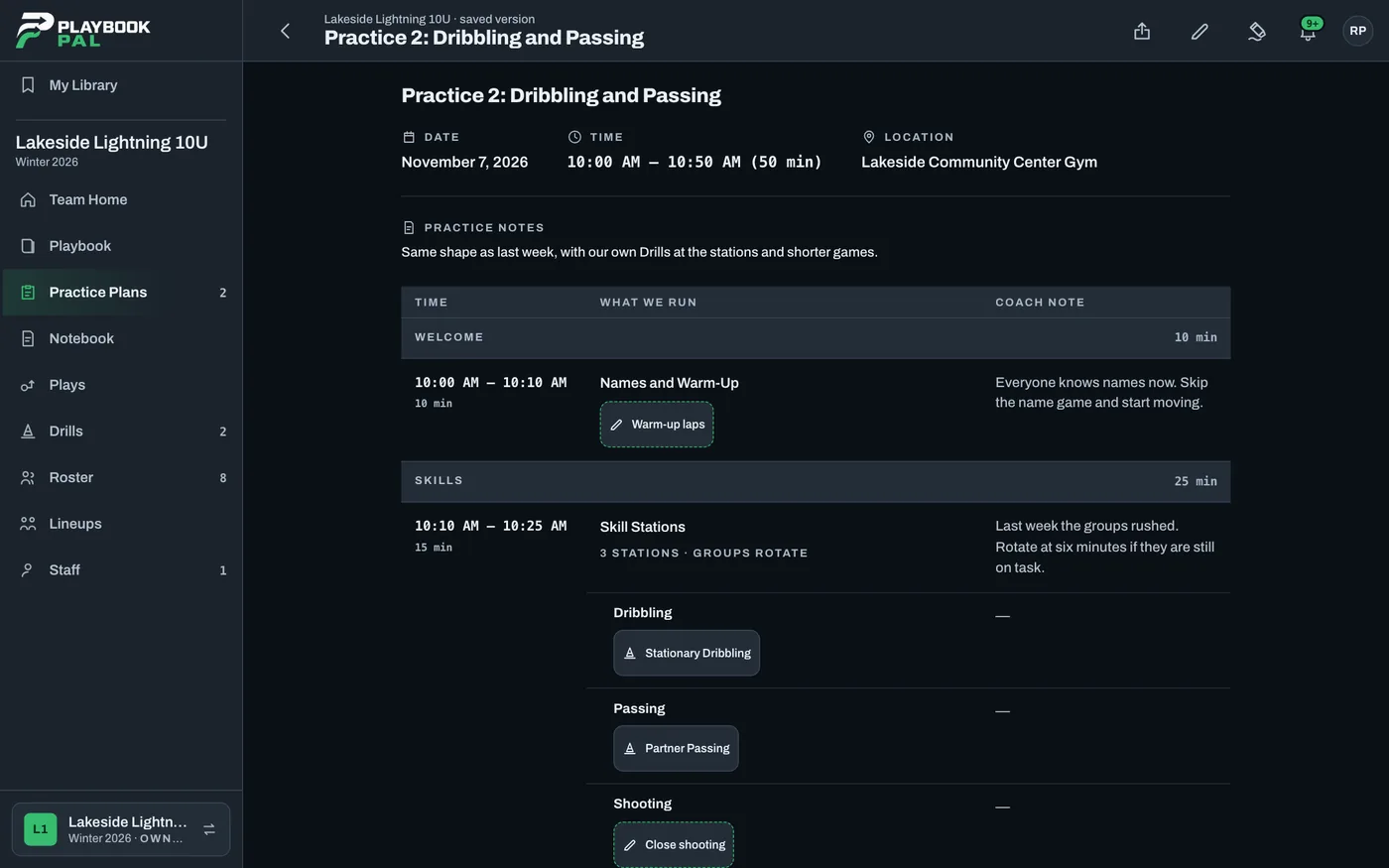
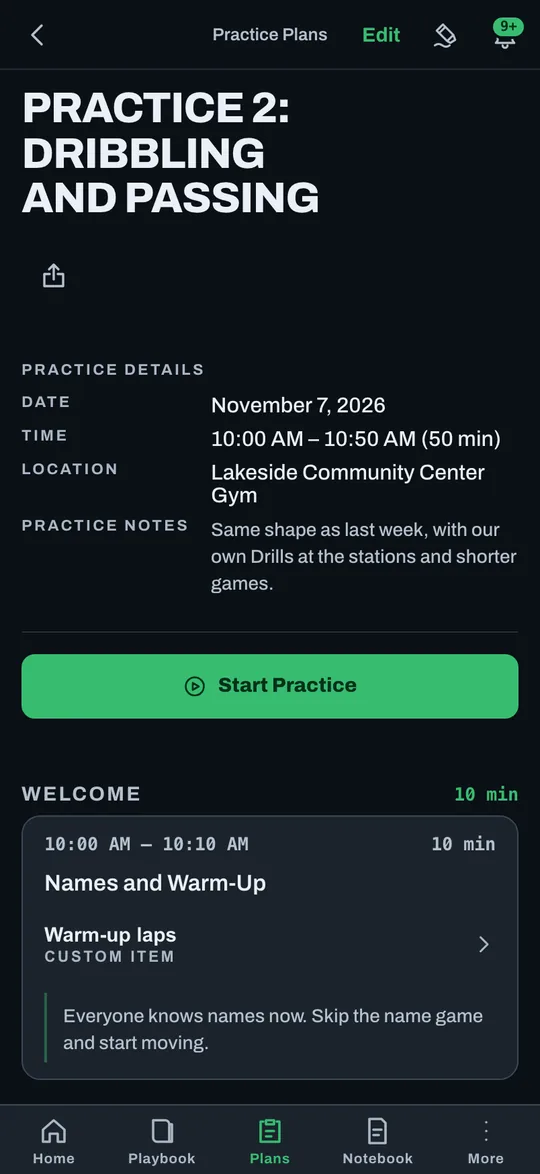
Riley duplicates the first plan and changes what the week taught. Everyone knows names now, so the name game goes. The groups rushed, so they rotate at six minutes. The games get shorter so there's time for a huddle.
Everyone knows names now. Skip the name game and start moving.
Less time searching. More time coaching.
You don't have to have coached before. Each week starts from a plan that worked, and you adjust it for what you saw. The Drills you build are yours, and My Library keeps them for next season.
Ran the whole thing and still had time for a huddle.
Ran the whole thing and still had time for a huddle.
Look at you. Same plan next week?
Duplicating it tonight. Moving the kids back on shooting.
Did the Stations work?
The timer ran them. I just watched the kids.
Told you.
Questions coaches ask.
What does it cost?
It's free to start today. Paid plans are coming, and every Team that exists when they launch gets Pro free for six months.
Do my assistant coaches need the app?
They can use the iPhone and iPad app or any web browser. Invite them with a link.
Will it work in a gym with no signal?
Readable offline in the iPhone and iPad app. Editing needs a connection.
I'm on Android.
Use Playbook Pal in Chrome and add it to your home screen. A native Android app is coming soon.