
Tryouts are in two weeks. Keep your whole staff on the same page.
Follow the Lakeside Comets' staff from a new season to the first game in Playbook Pal: last year's drills, a tryout plan every evaluator can read, and Lineups before the list goes up.
Every tryout starts with this text.
Every school runs tryouts differently, but every staff needs the same things: how the day will run, what the Stations are, what games get played, and what each coach should be watching for. Too often that lives in one coach's head until the morning of.
What are we actually looking for?
Are we running the same stations as last year?
Does anyone still have last year's sheet?
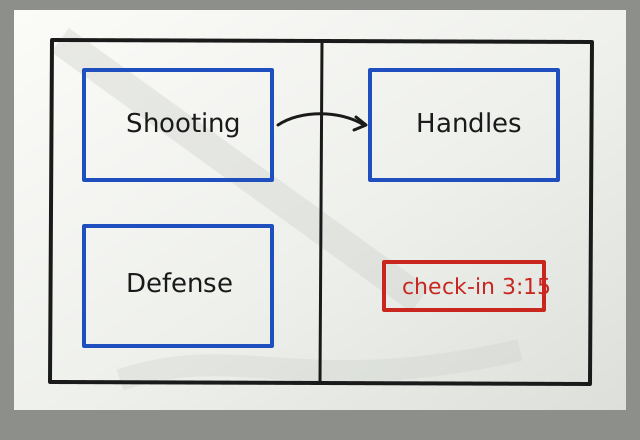
I think it's in an email.
What are we actually looking for at the shooting station?
I've got three volunteers helping. They'll want to know too.
Three weeks out: last season is still there.
Jordan creates a Team for the new season and brings over what's worth keeping with Add from My Library. Nobody rebuilds the warm-up, the shell drill or the shooting drills from memory. Each copy is separate, so this year's changes stay with this year's Team.
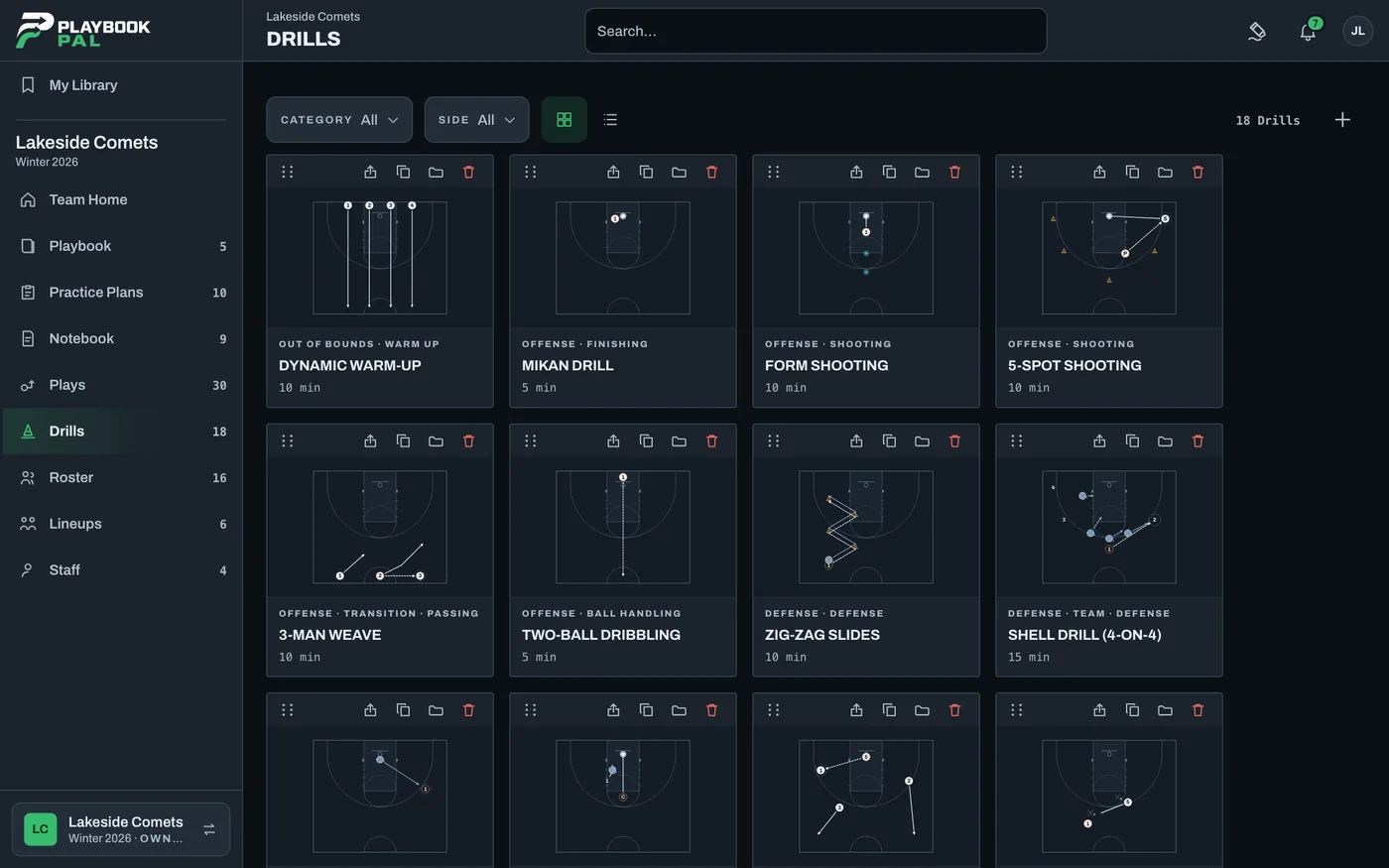
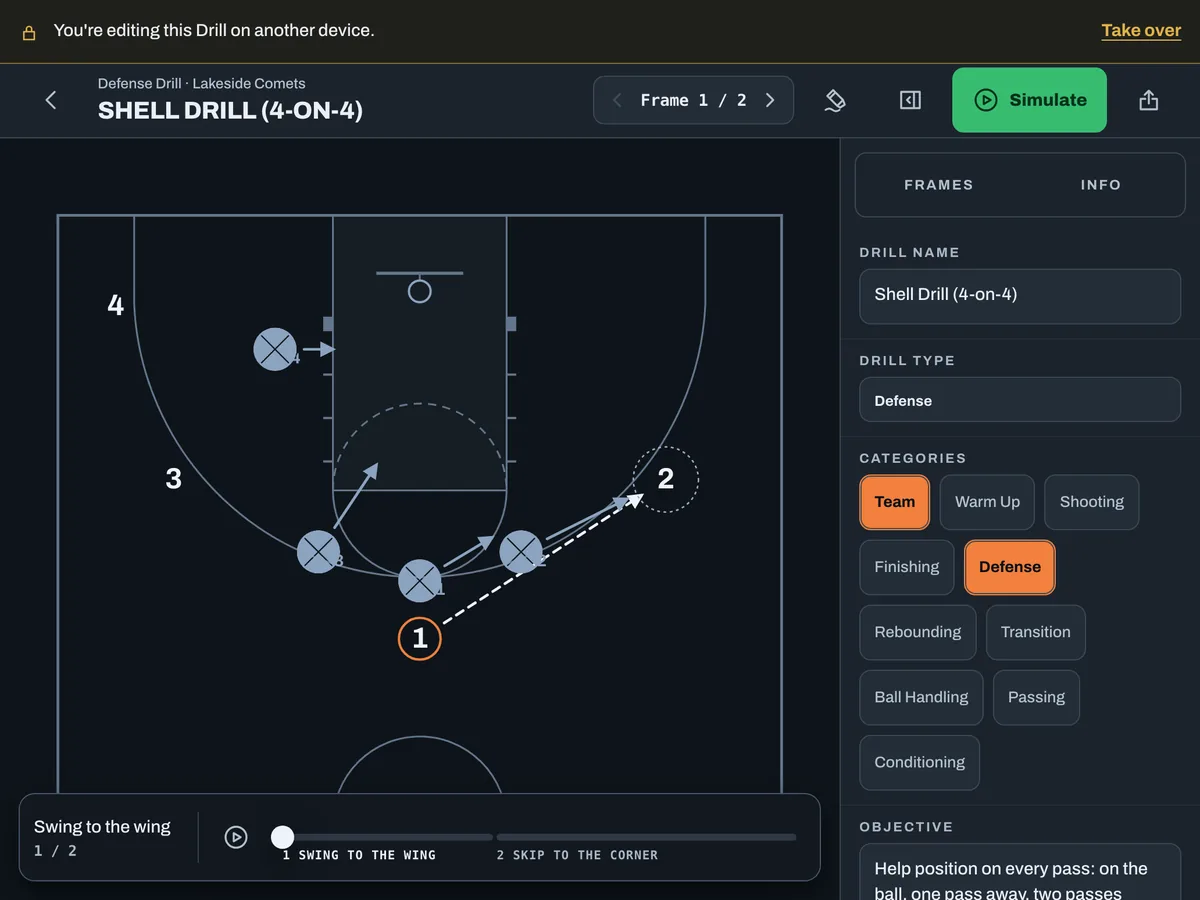
Two weeks out: a tryout day is just a Practice Plan.
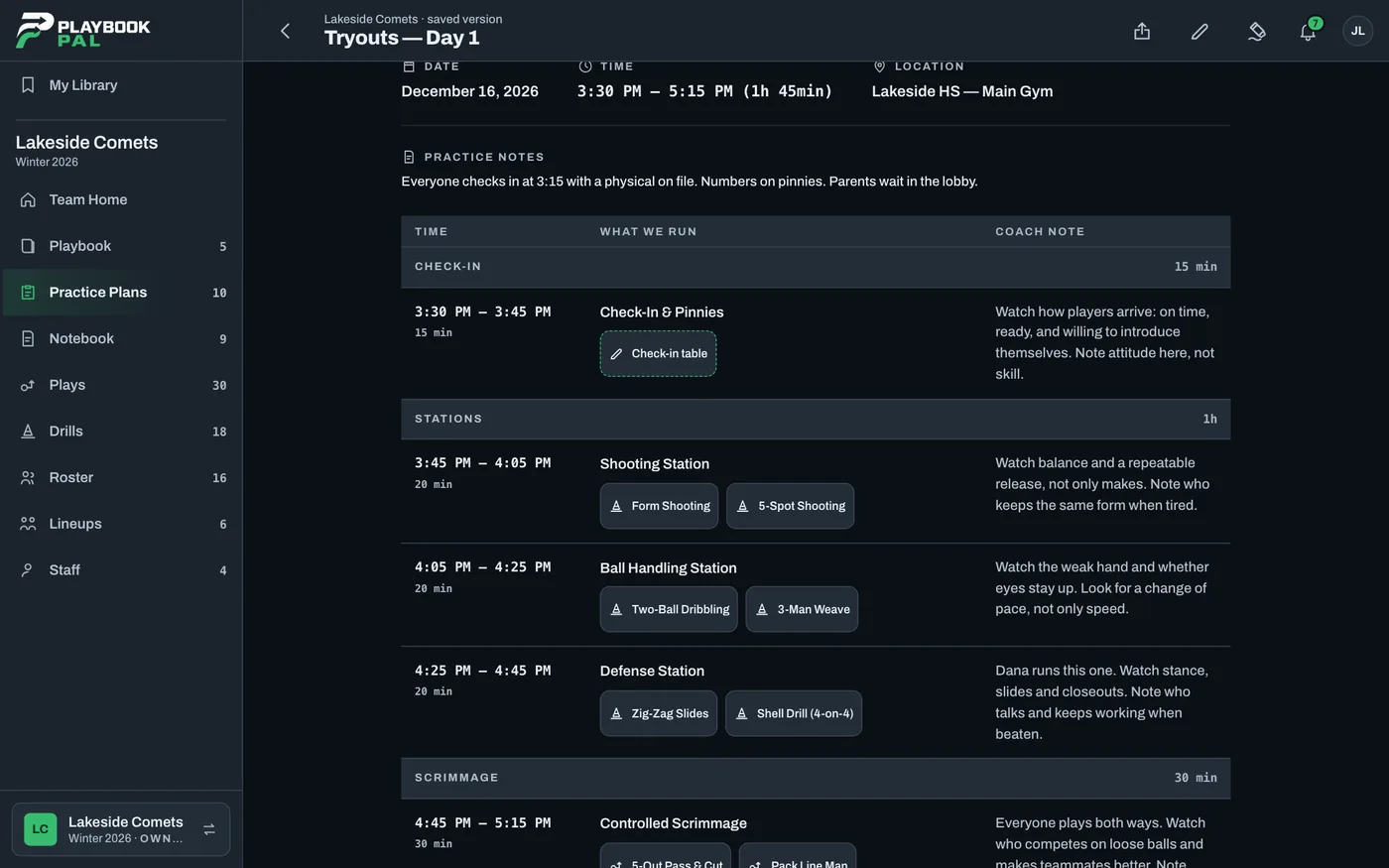
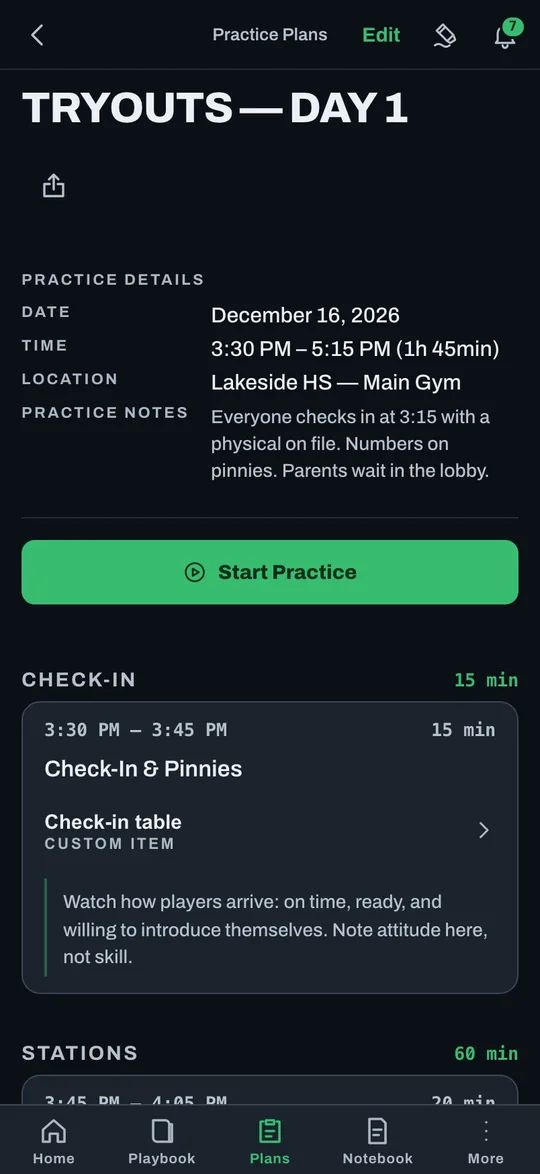
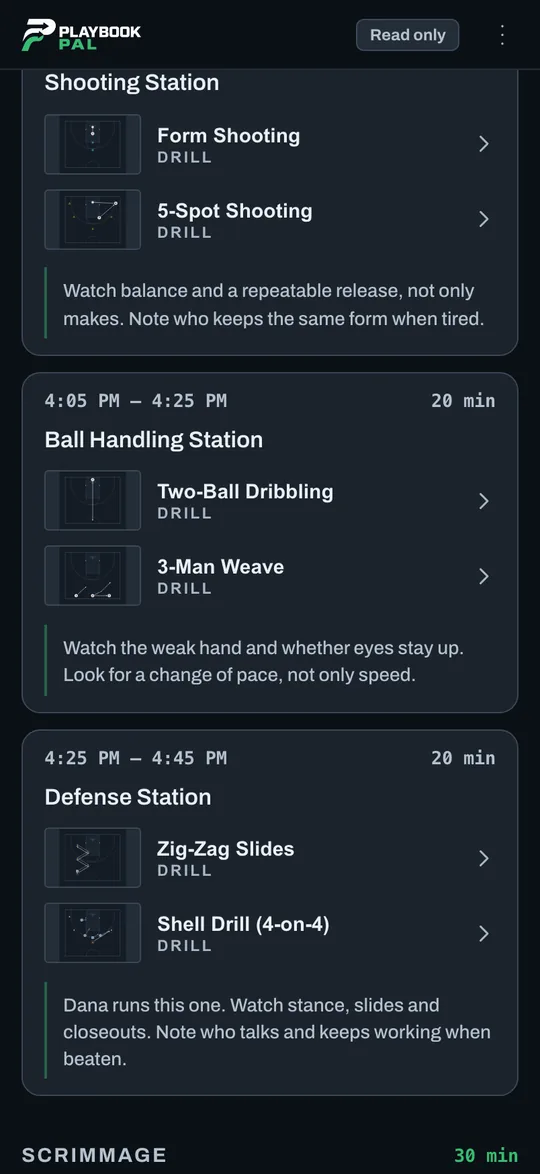
Jordan builds Day 1 in Time Slots: check-in, shooting, ball handling, defense, a controlled scrimmage. Dana and Riley add to it, and each Coach Note says what to watch for at that spot.
Watch balance and a repeatable release, not only makes.
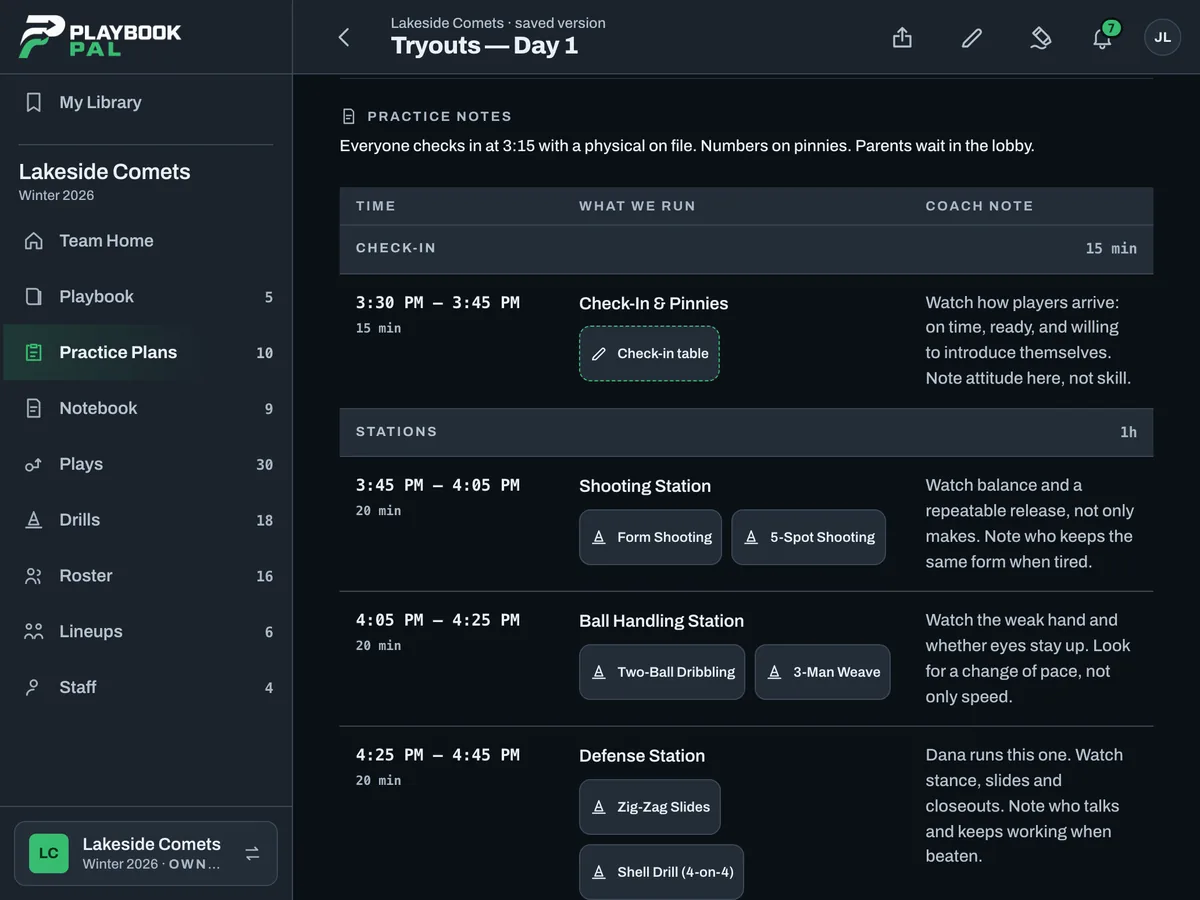
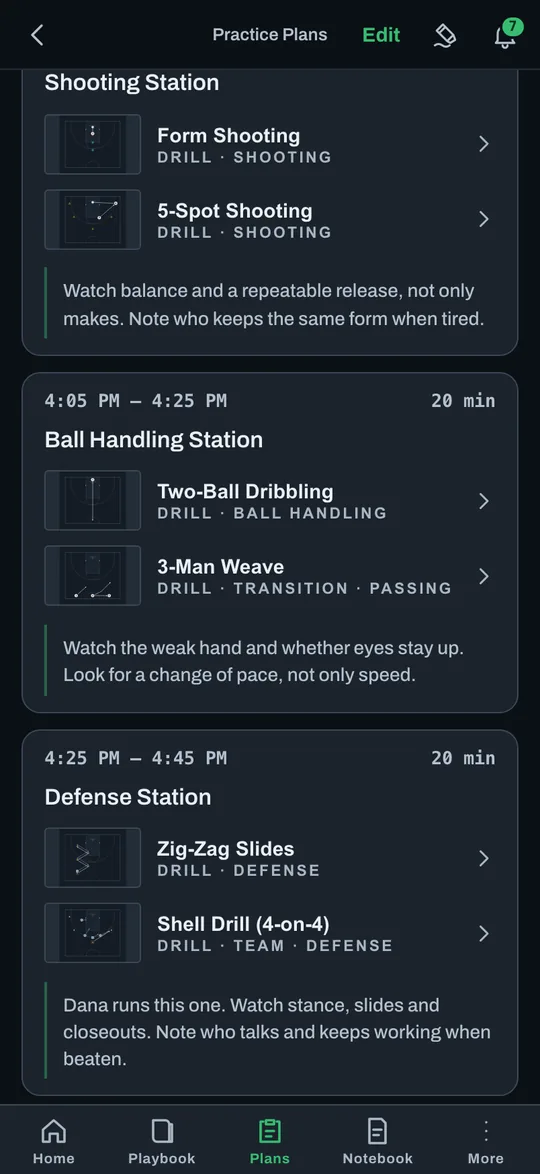
The day before: every evaluator reads the plan.
Some of the people helping aren't on staff. Jordan sends them the plan's link, and it opens in a browser with no account, read only, with the Coach Notes in it. Everyone walks in knowing what to watch. Turn the link off when tryouts are done.
Here's Monday's plan. The Coach Notes say what to watch at each spot.
Do I need to sign up for anything?
Nope. It opens right from the text.
Perfect. Where do you want me?
Shooting Station. Your note is right there in the plan.
Got it. See you at 3:15.
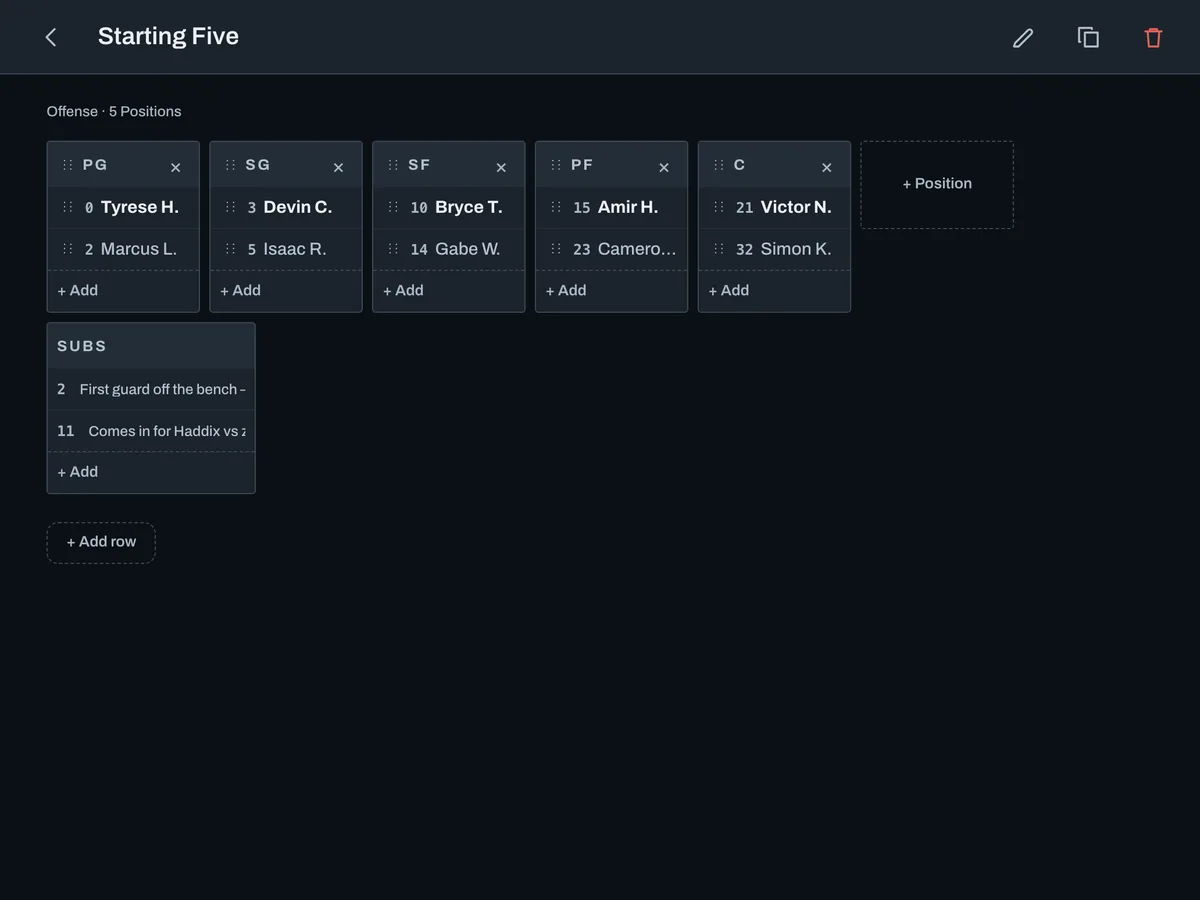
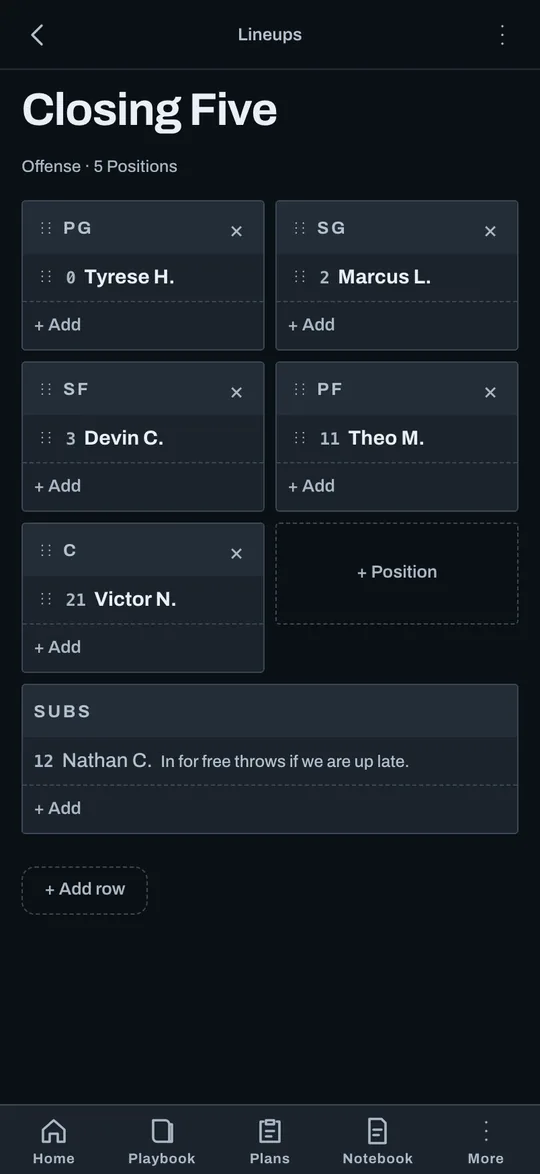
Tryout week: try the Lineups before the list goes up.
The staff adds the players still in the running to the Roster and tries a few Lineups, so the conversation is about real combinations.
Friday: the list goes up and practices get dates.
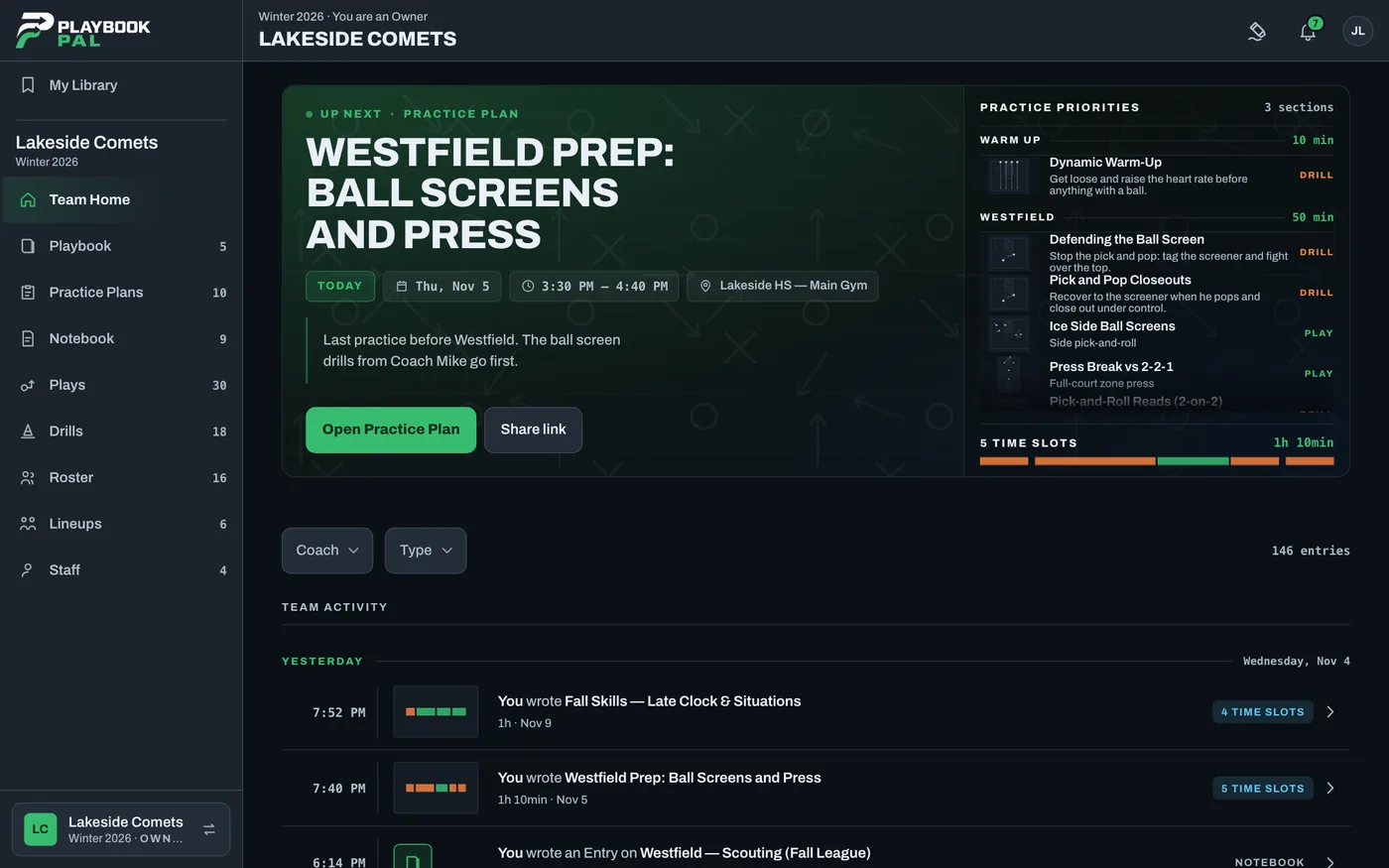
The Roster is final. Jordan dates the first practices, and Up Next on Team Home shows every coach what's coming. The first plan starts from Time Slots reused from the tryout plan, so nobody starts from a blank page.
That was the smoothest tryout we've run.
Dana, after the list went up
The season: the staff already works this way.
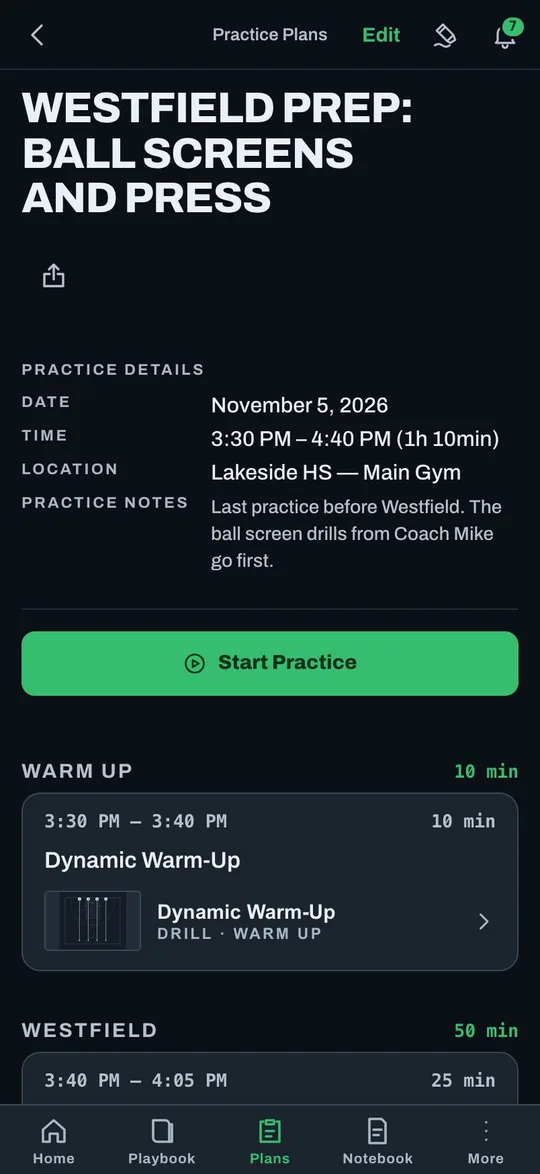
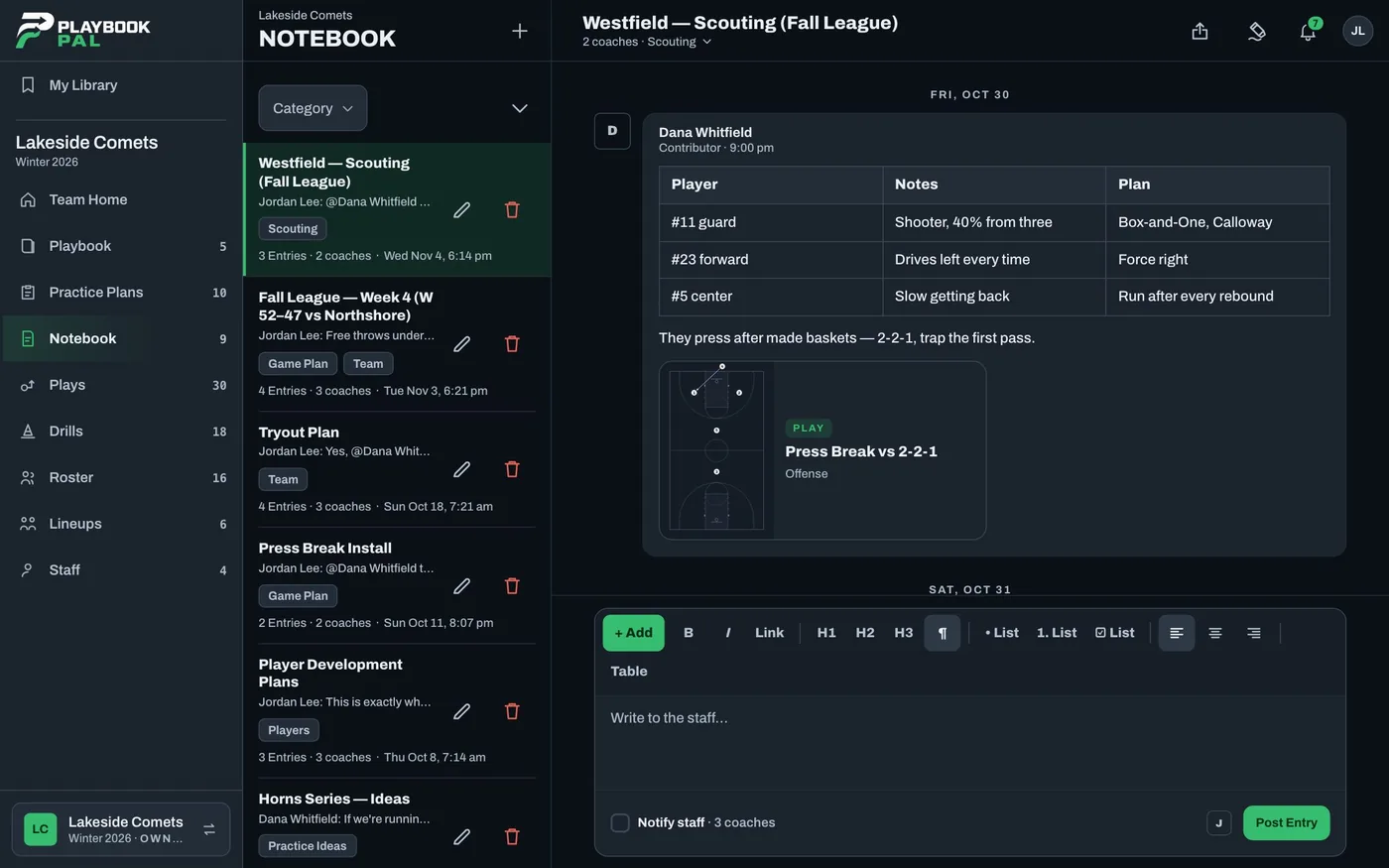
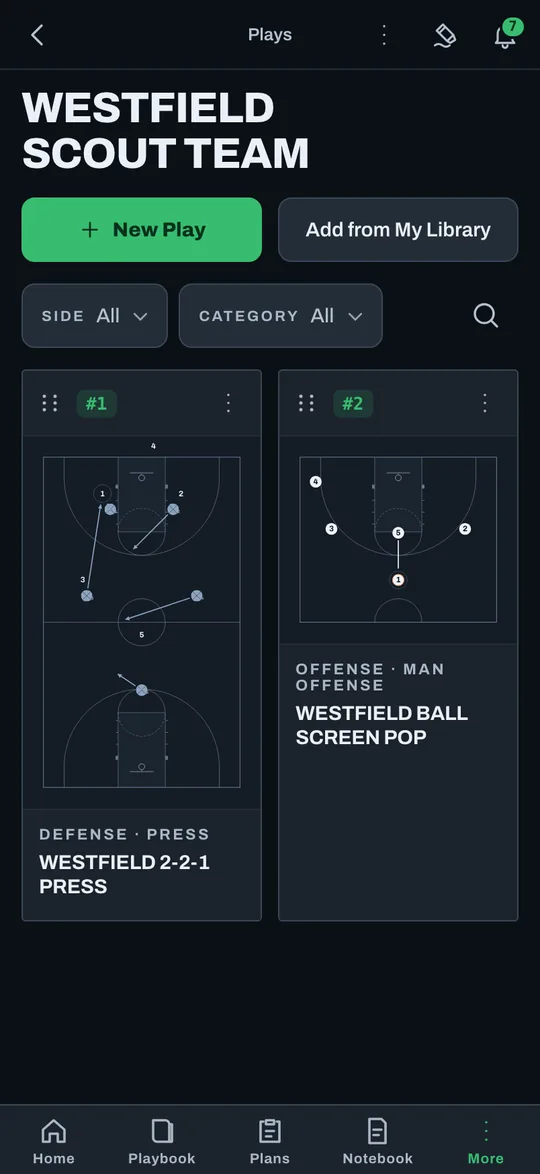
By the first game week, the habit is there. Dana writes up the Westfield scouting report on a Page, draws Westfield's press and saves it to a Scout Team folder, and the assistants run the plan from their phones.
Less time explaining. More time coaching.
Nobody has to carry the season in their head. The drills carry over, the plan is written down, and the whole staff knows how practice should run, from the first tryout to the first game.
Everyone knew what to watch.
List is up. Everyone knew what to watch this year.
The volunteers said the plan on their phones made it easy.
So proud of this staff. First practice has a date, and I started the plan. Add anything you want in it.
On it. Adding the shell drill.
Questions coaches ask.
What does it cost?
It's free to start today. Paid plans are coming, and every Team that exists when they launch gets Pro free for six months.
Do my assistant coaches need the app?
They can use the iPhone and iPad app or any web browser. Invite them with a link.
Will it work in a gym with no signal?
Readable offline in the iPhone and iPad app. Editing needs a connection.
I'm on Android.
Use Playbook Pal in Chrome and add it to your home screen. A native Android app is coming soon.
Can evaluators see the plan without an account?
Yes. A Practice Plan link opens in any browser, read only, with Coach Notes. You can turn it off anytime.
Varsity and JV?
Each is its own Team. Add from My Library or Add from a Team to use the same Drills and Plays on both.