
Westfield is on Saturday. You have two practices.
Follow the Lakeside Comets' staff through one game week in Playbook Pal: the basketball playbook, drills and practice plans every coach can see.
Every coach knows this group text.
Being a coach can feel like a full-time job. The planning, communication, and research, only to get to practice and realize you didn't bring the coaching staff up to speed first. Hours of planning and watching YouTube, and when you get to practice you have to spend more time showing how the drills work than actually running practice!
Being a coach can feel like a full-time job.
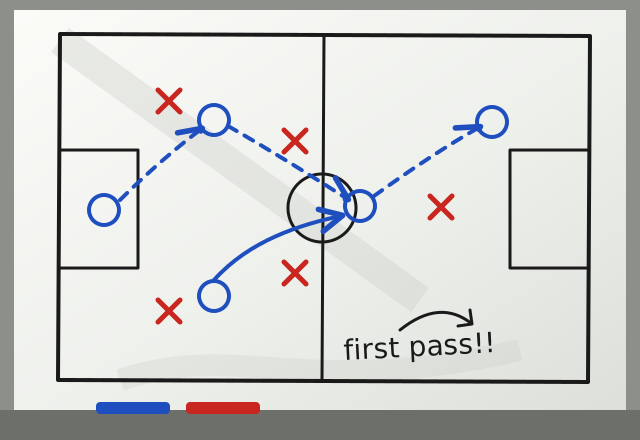
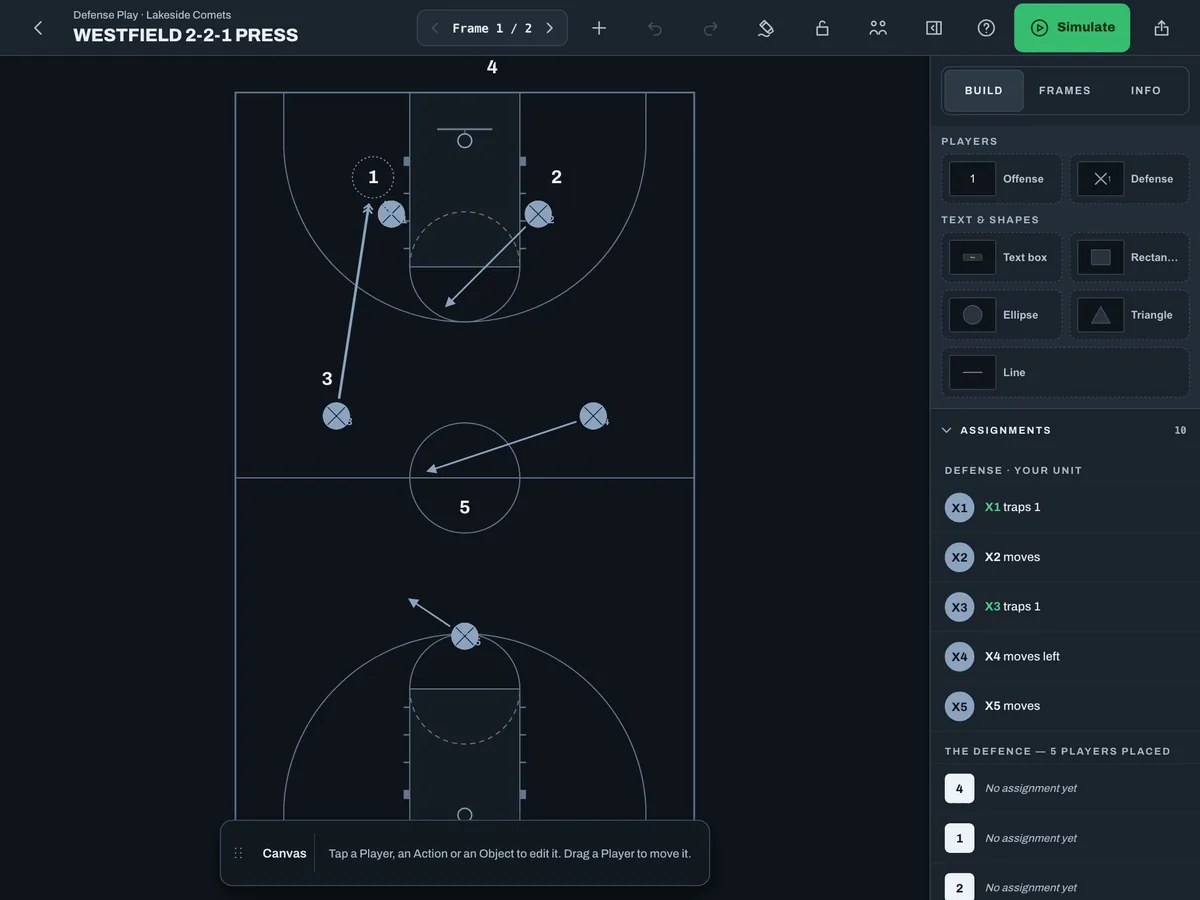
Westfield presses after made baskets. Something like this?
Who takes the first pass, our 2 or 3?
Can you walk me through it before practice?
We only have a few minutes before the kids get here
Monday: Dana scouts Westfield and draws up their press.
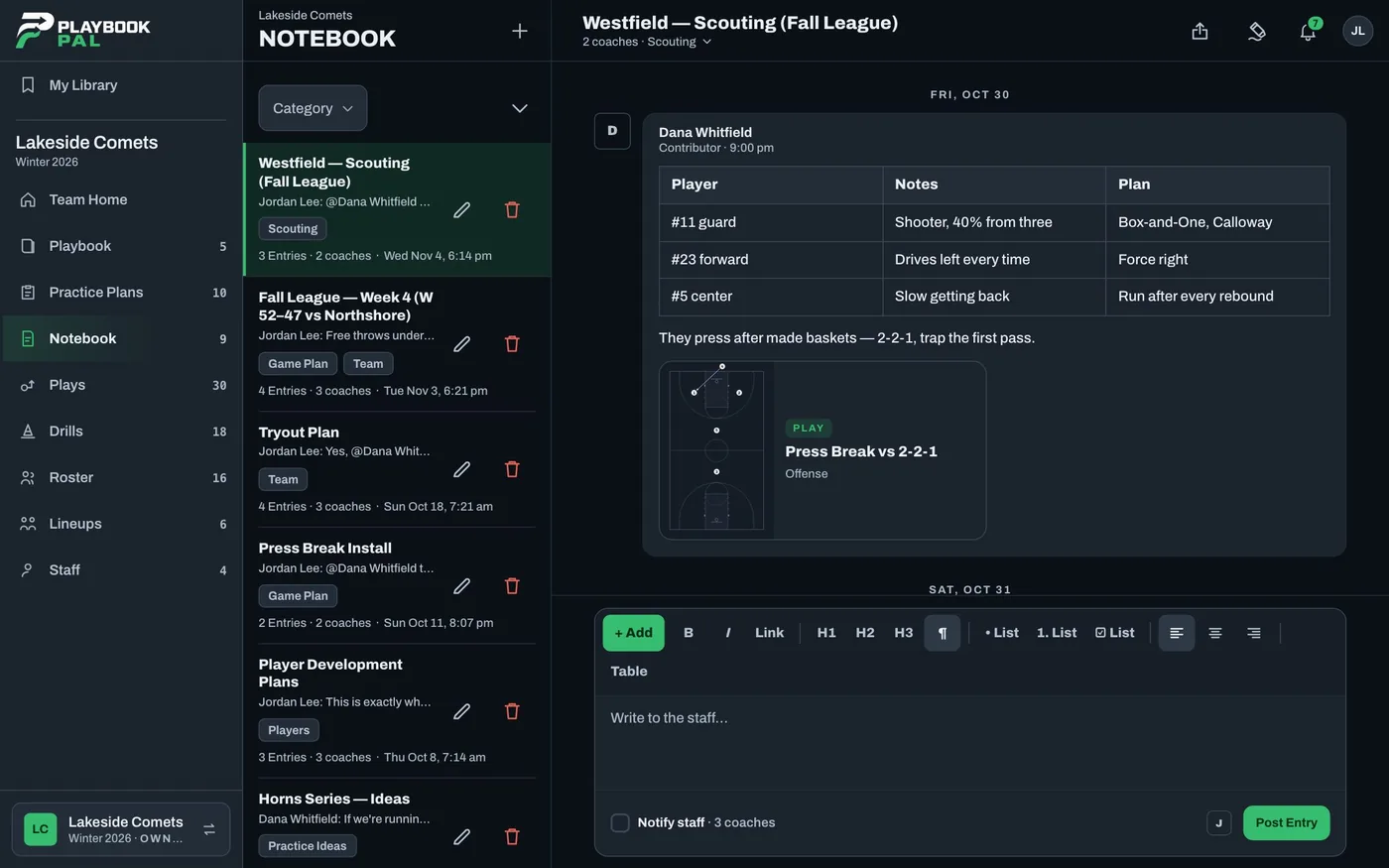
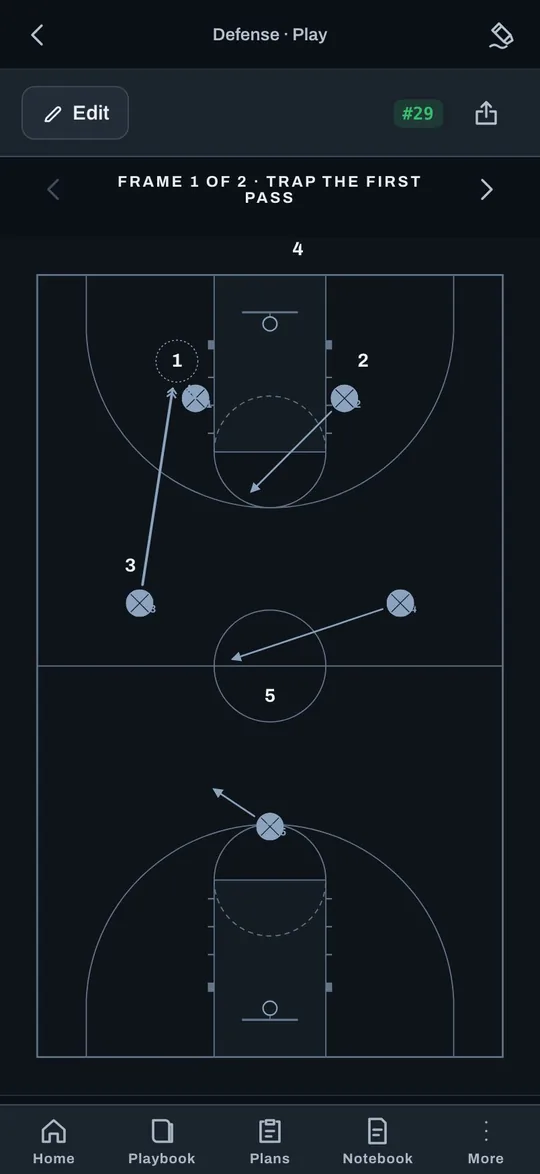
Dana watched the film and wrote it up on a Page the whole staff can see: who shoots, who drives left, and how Westfield presses after made baskets. Then Dana draws their 2-2-1 and saves it to a Westfield Scout Team folder, so any coach can bring it up at practice and run it against the starters.
Tuesday: the scout team brings the press.
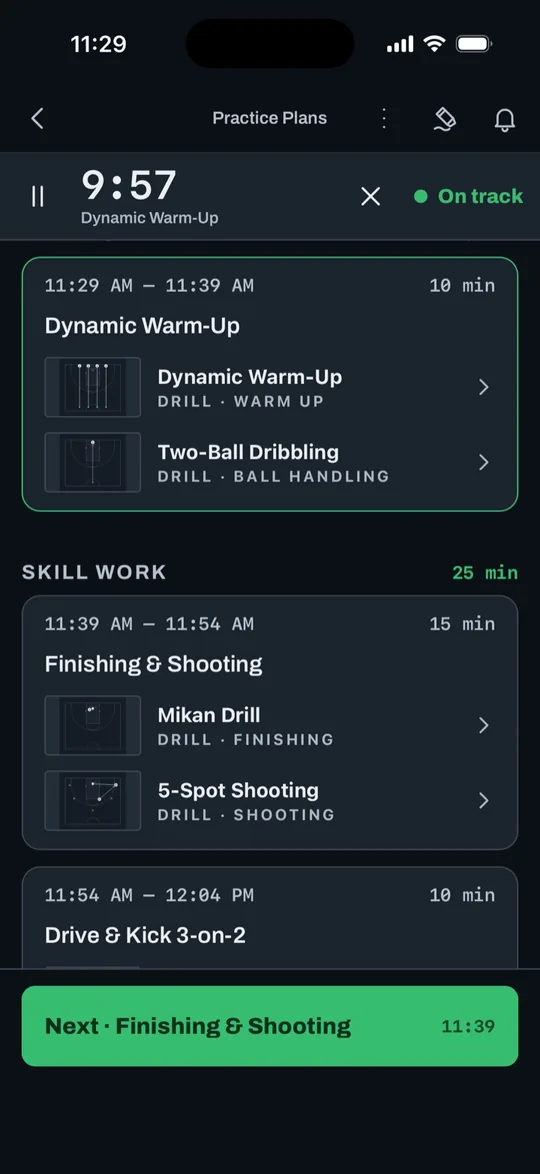
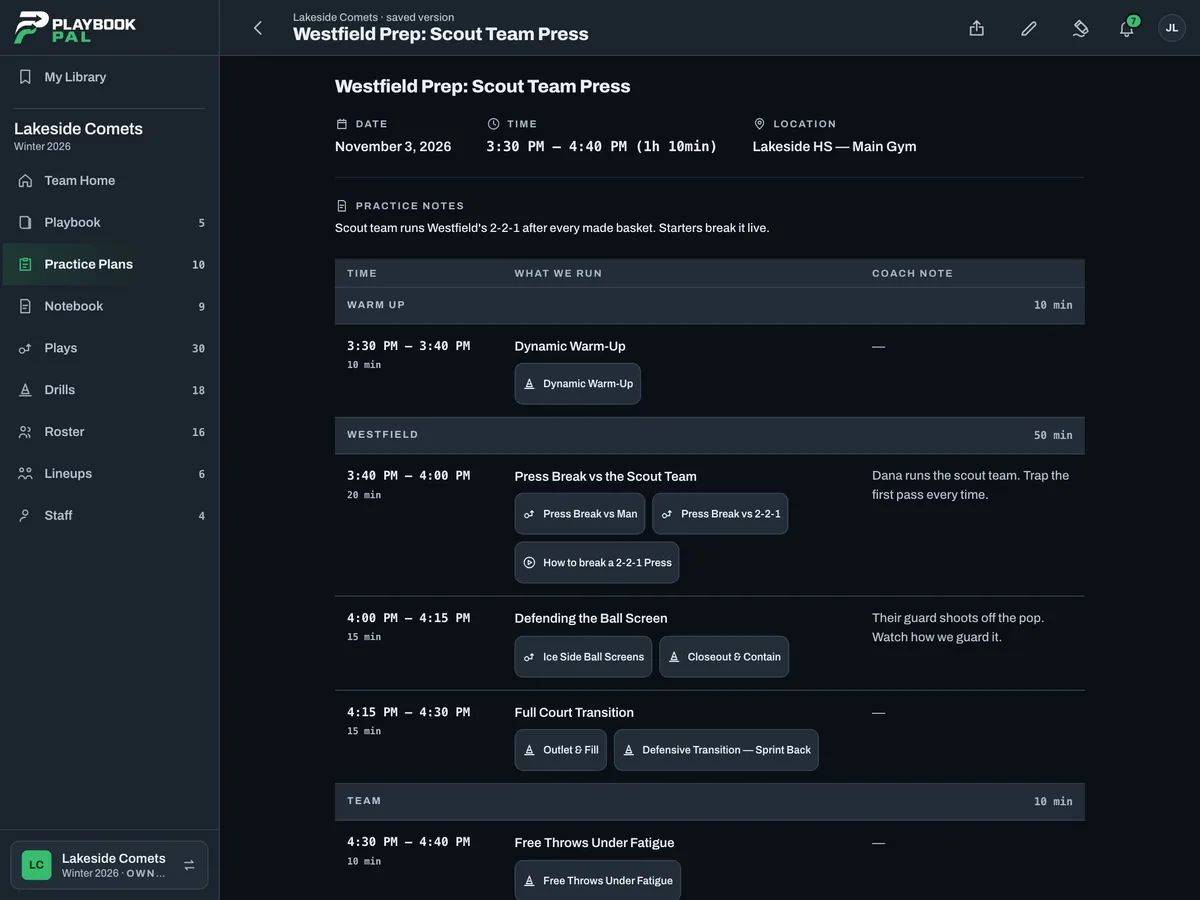
Phones out. The assistants run the plan with a shared timer and rotation cues, and see at a glance if they're on track. Riley's group runs Westfield's 2-2-1 straight from the folder, so Jordan can coach the kids and not the clock.
Great job by the scout team on the press. We still have work to do defending ball screens.
Jordan, after Tuesday's practice
Wednesday: Jordan asks another coach.
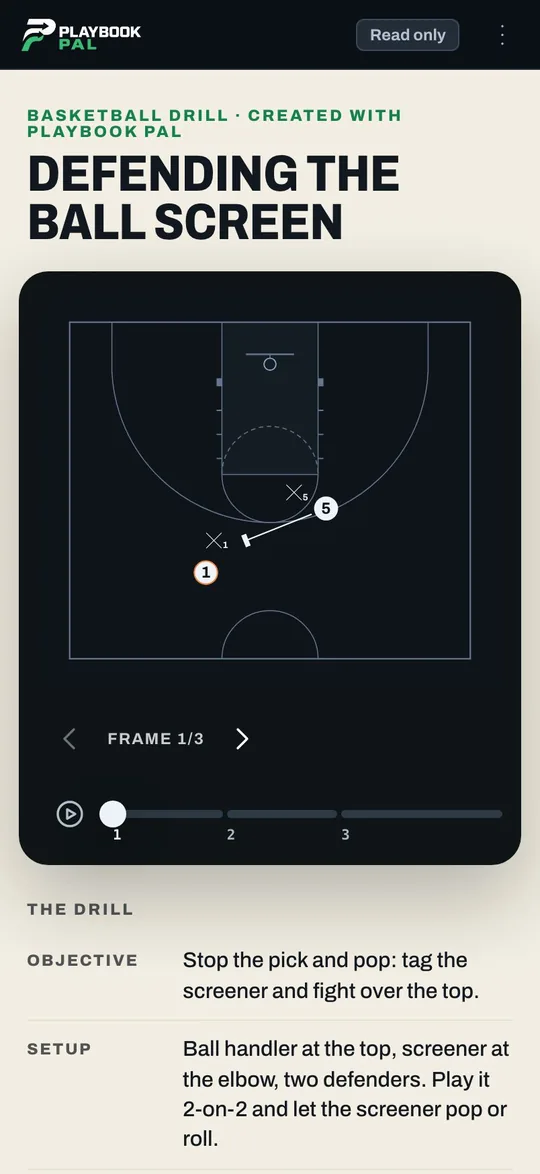
Westfield's guard is shooting 40% from three, and Tuesday showed the Comets aren't ready for it. So Jordan asks around. Coach Mike sends the drill and the plan that worked for his team, and the drill opens right from the text, with no account needed.
Anyone have a good drill for defending ball screens?
Anyone have a good idea to practice defending ball screens with good shooters?
We emphasized tagging the screener and going over the top of the screen to stop Pick & Pop shooters.
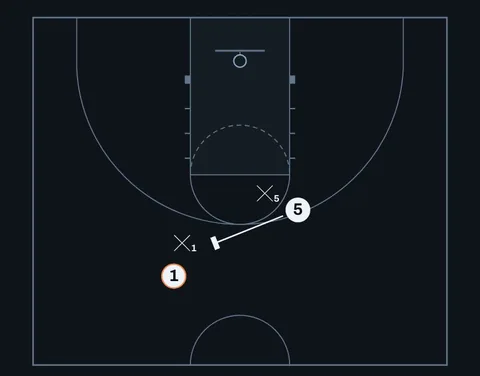
And the plan we ran.
This is perfect. Thank you!
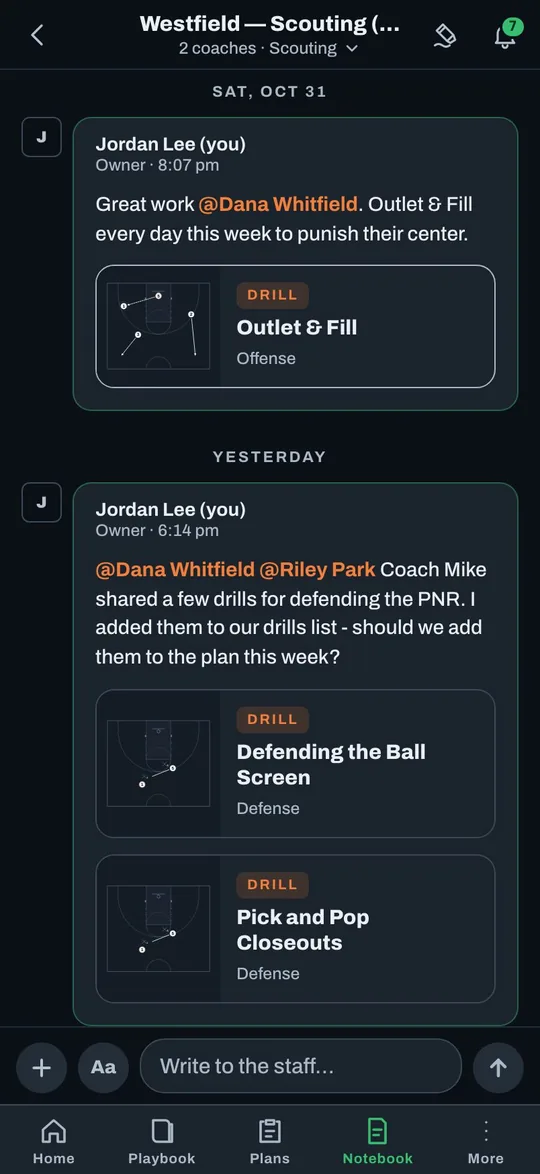
Wednesday night: the staff weighs in.
Jordan saves the drill to My Library, adds it to the Team, and tags the staff: "Coach Mike shared a few drills for defending the PNR. I added them to our drills list - should we add them to the plan this week?"
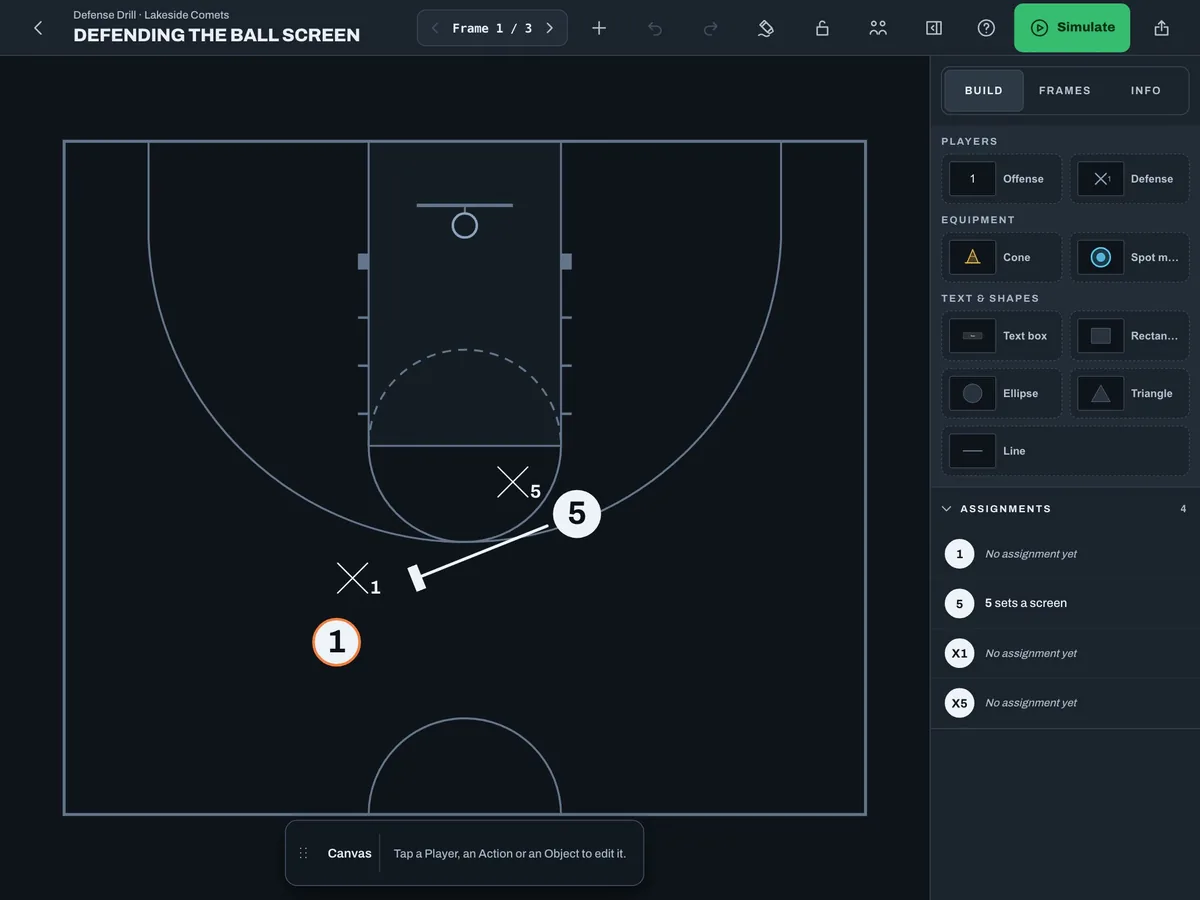
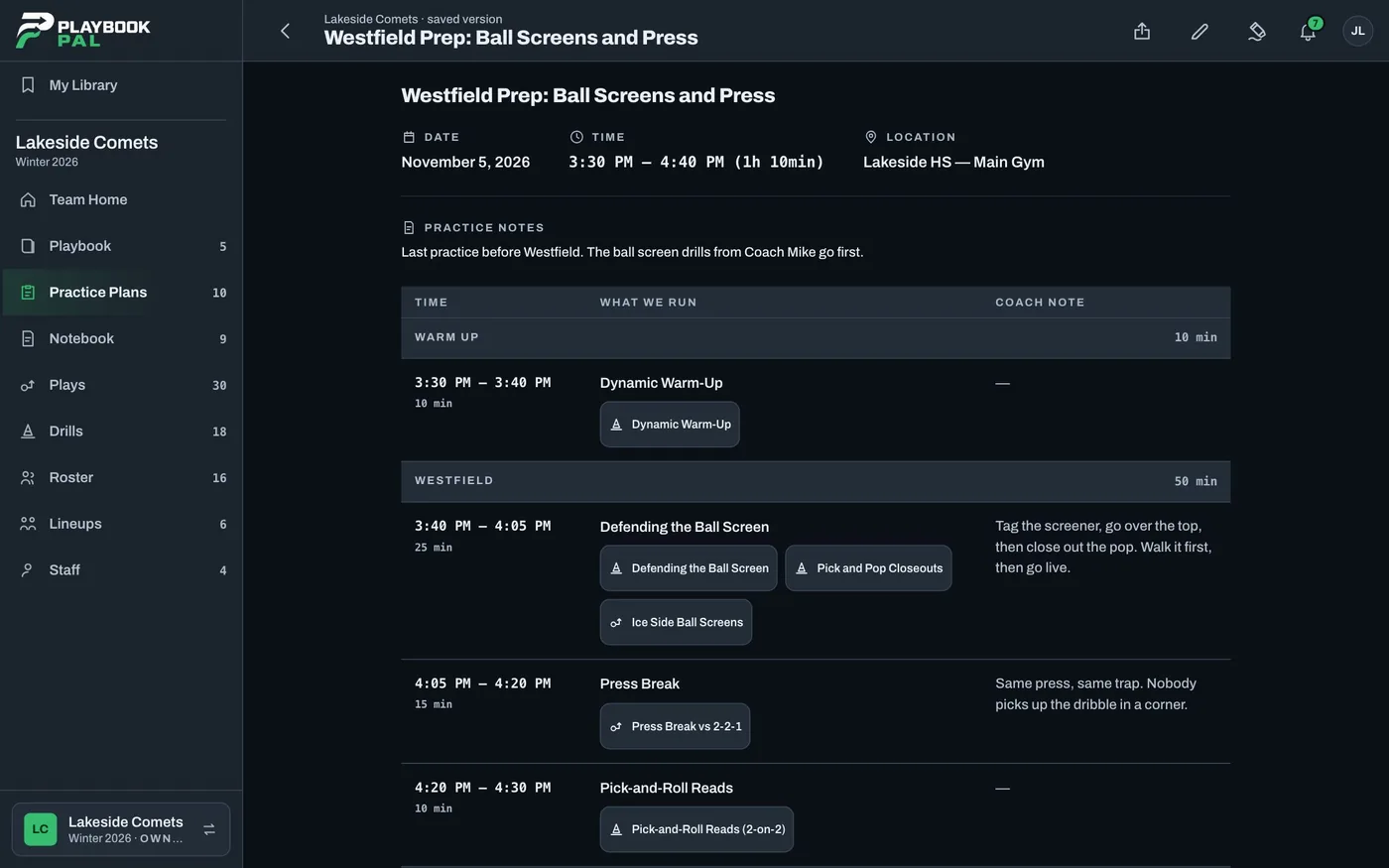
Thursday: a new plan with Coach Mike's drills.
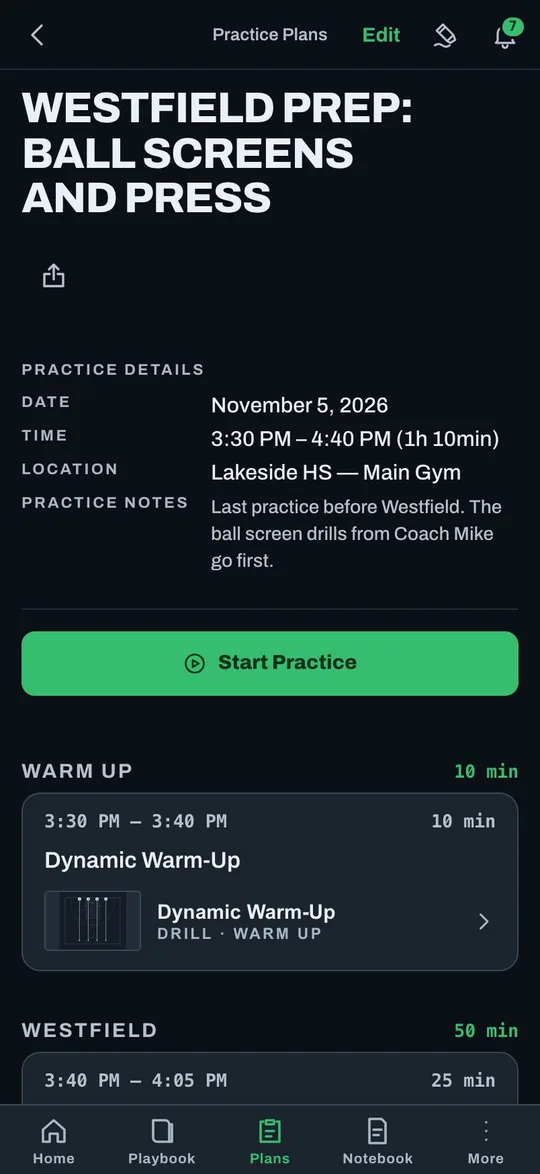
Jordan duplicates Tuesday's plan at the desk, drops in the new drills, and shares it with the staff. Thursday's practice goes to the problem Tuesday found.
Saturday: everyone walks in ready.
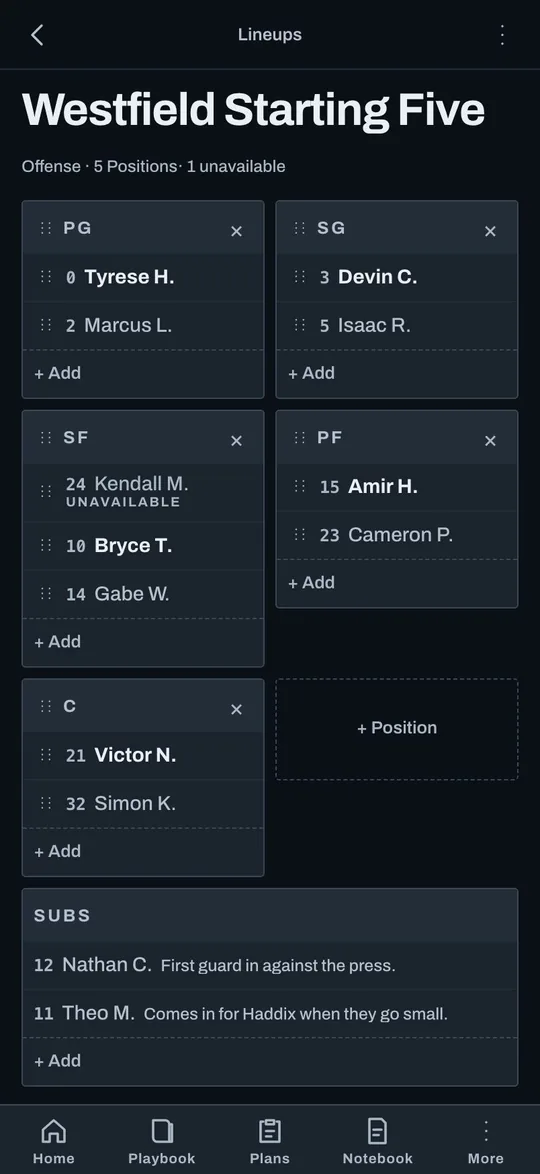
Kendall is out sick. Mark Kendall Unavailable and every Lineup moves up. The Lineups and Practice Plans are readable offline in the iPhone and iPad app, so the staff has them with no signal in the gym.
Less time explaining. More time coaching.
The head coach doesn't shoulder the whole week alone. Everyone knows how practice should run, the assistants keep things moving, and the whole staff feels ready come game day.
Best week of practice we've had!
Best week of practice we've had. Nobody had to stop and explain anything.
Thursday flew by. The kids got so many more reps with the new drills.
And that press break was ready by Tuesday. Tell Coach Mike thanks.
So proud of this staff. I'm starting the plan for next week's games tonight. Add anything you saw today to the Page.
On it. I'll draw up their zone tonight.
Questions coaches ask.
What does it cost?
It's free to start today. Paid plans are coming, and every Team that exists when they launch gets Pro free for six months.
Do my assistant coaches need the app?
They can use the iPhone and iPad app or any web browser. Invite them with a link.
Will it work in a gym with no signal?
Readable offline in the iPhone and iPad app. Editing needs a connection.
I'm on Android.
Use Playbook Pal in Chrome and add it to your home screen. A native Android app is coming soon.